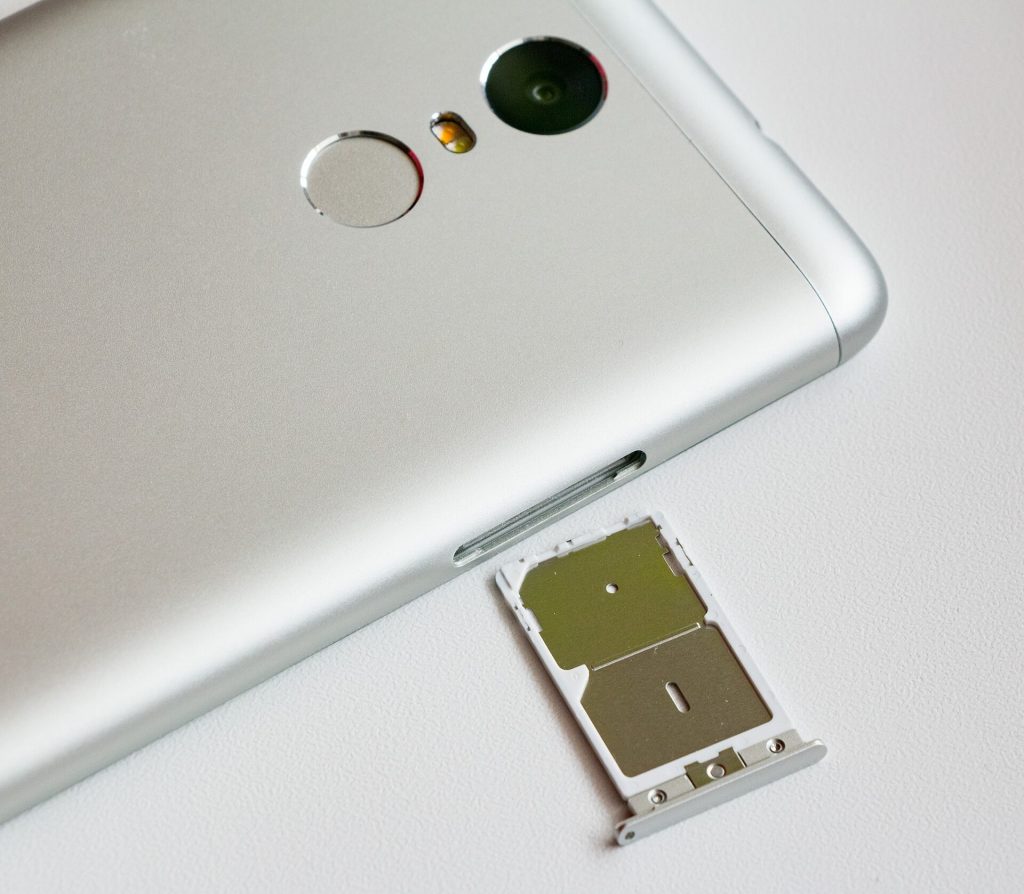
An iPhone can carry a home number and a China data line at the same time. The useful version of that sentence is practical, not magical: you decide which line is allowed to roam, which line carries data, and how you will receive the SMS messages your banks still send. You do this, ideally, before you leave home Wi-Fi, and you do it with official Apple settings plus a SIM or eSIM you bought from a source you already trust.
This is a setup guide. It complements, and does not replace, eSIM versus a physical SIM at the airport, carrier comparisons, pocket Wi-Fi versus eSIM, and the warnings in roaming bill shock.
Decide the roles of the two lines
Most travellers want some version of: keep the home number reachable, and use a China line for data. On a dual-SIM iPhone that can mean a physical home SIM plus a China eSIM, a home eSIM plus a mainland physical SIM, or two eSIMs if your model and carriers allow it. Check Apple’s documentation for your exact model; older single-SIM phones will not grow a second line in Settings.
Label the lines in Settings with clear names (“Home” and “China”) so you are not guessing in an airport corridor. Set the default for cellular data to the China line once that line is active. Leave the home line enabled for voice and SMS if you still want that number, but turn off Data Roaming on the home line if the China line is meant to carry data. Forgetting that toggle is a classic way to pay home-carrier roaming rates while a China eSIM sits unused.
If you need the home number to ring over data rather than over a roaming voice plan, read Wi-Fi calling and keeping your home number. Wi-Fi calling depends on your home carrier and on the network you are connected to; it is not a guarantee in every hotel.
Install or insert the China line with a boring source
Buy the eSIM or SIM from the official mainland carrier shop, a known travel-eSIM brand you already use, or another official channel you can actually get support from. Install the eSIM on Wi-Fi before you fly if the provider allows a delayed activation, or follow their official instructions at the airport. If a plan will not attach after landing, the eSIM will not activate explainer is the next stop—not a random APN file from a stranger.
This article will not give VPN, proxy, or “special DNS” instructions. A China data line is for lawful internet access as the local network provides it. Expect some of the apps and services you use at home to behave differently; that is a connectivity reality, not a prompt to improvise unofficial tools.
SMS, iMessage, and bank codes
SMS for bank approvals often still wants the home number. If your home line is active and can receive SMS, keep that path. If your home carrier only delivers those messages when the line is roaming, you may need a short, deliberate roaming window—or a bank app that can approve on Wi-Fi. Do not invent a single iMessage or FaceTime rule: Apple’s behaviour depends on which number is enabled, whether you are on data or Wi-Fi, and what Apple currently allows on that network. Test a message to yourself on hotel Wi-Fi before you need a code in a taxi.
WhatsApp, iMessage, and similar apps may work in some hotel Wi-Fi conditions and fail in others. Treat them as best-effort, and keep a second way to reach your hotel and your travelling companions.
A short departure checklist
Update iOS, finish eSIM install or pack a SIM tool, screenshot plan details, and set data-line and roaming toggles you understand. Download offline maps and essential apps while you still have reliable home internet. After landing, confirm the China line shows signal and can load a simple official page before you leave airport or hotel Wi-Fi. If it cannot, fix it there—service desk, official app, or provider chat—rather than in a moving Didi.
Dual SIM is a layout, not a personality. A clear data line, a quiet home line, and a tested wallet will do more for a 2026 trip than any clever setting buried three menus down.
Ground-level reminders for this topic
Related Lovely China reading
For payments, start with Alipay and WeChat Pay hub and WeChat Pay vs Alipay for tourists. For trains, keep high-speed rail first-timers guide and 12306 passport signup for foreigners handy. City hubs: Beijing first-visit guide, Shanghai first-visit guide. Connectivity: roaming vs local SIM honest guide, pocket Wi-Fi vs eSIM for China, offline maps for foreigners. Bookmark China travel tools page.
Practical checklist
- Confirm official rules on the relevant government, park, airline, or bank page near your travel week
- Screenshot bookings, tickets, and QR codes while you still have stable Wi-Fi
- Save hotel and attraction names in Chinese characters in your phone notes
- Carry passport, a backup payment method, and a small cash float (why cash is still needed)
- Test one small mobile payment before you rely on wallets at a gate or taxi
- Keep China travel tools page bookmarked for related Lovely China hubs
FAQ
Should I turn off roaming on my home line?
If the China line is meant to carry data, turning off Data Roaming on the home line is the usual way to avoid accidental home-carrier data charges. Confirm the toggles in Settings before you rely on them.
Will iMessage and bank SMS keep working?
It depends on which line is active, your carriers, and the network you are on. Test a message and a bank-app path on hotel Wi-Fi before you need a code in a taxi.
Does this guide include VPN setup?
No. Use official SIMs or eSIMs and lawful network access. Lovely China does not provide circumvention instructions.
Notes for late 2026 travellers
Late December 2026 and the New Year week into 2027 bring colder mornings, earlier sunsets, and holiday crowds in many city hubs. Pack real winter layers in the north, and leave extra time on weekends and around 1 January.
This article does not invent ticket prices, opening hours, processing times, consular fees, or official statistics. When a number matters, verify it on the official site, app screen, or ticket board near your travel week.
If an official rule page disagrees with this guide, follow the official page. Lovely China orients English-speaking travellers; we are not an immigration, banking, or medical authority.