The biometric step at 240-hour visa-free transit immigration is usually brief, occasionally awkward, and almost never optional just because you are “only transiting.” This piece is about what the fingerprint or facial capture feels like in the queue: what to hold in your hands, how to stand at a kiosk, and what to do if a scan fails. It is not a documents checklist (240-hour transit immigration documents) and not a way to skip biometrics.
Keep 144 vs 240-hour visa-free transit, check 240-hour transit permitted cities, and arrival registration card fill guide nearby. Eligible ports and connecting-flight logic live in 240-hour visa-free eligible ports guide and 240-hour transit connecting flight rules.
Where the scan sits in the flow
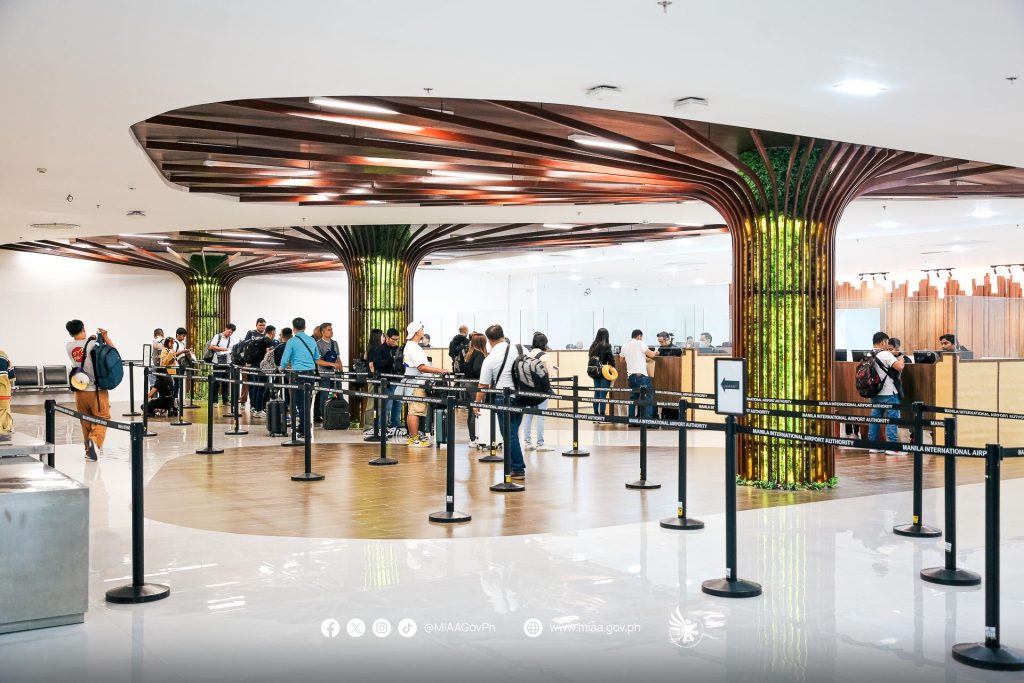
After you leave the aircraft you typically move through a foreigner or transit lane, present a passport, and complete any arrival-card or on-screen questions (arrival registration card fill guide). Somewhere in that sequence—kiosk, staffed counter, or both—you may be asked for fingerprints, a facial photo, or another biometric the airport is using that week.
Follow the officer or the machine prompts in front of you. Airports do not all use the same hardware, and we will not invent scanner brands or claim that one nationality is always exempt. If a sign or an officer tells you to use a kiosk first, use the kiosk first. If they wave you to a staffed desk, go there with your documents already open.
The biometric capture does not, by itself, decide whether your 240-hour stay is valid. It is one step in a larger assessment that still cares about your passport, onward ticket, permitted area, and the honesty of your answers (240-hour transit allowed activities, 240-hour visa-free travel radius, 240-hour transit permitted area limits).
What to have in your hands
Before you reach the glass:
- Passport, open to the photo page if the queue culture is doing that
- Onward or connecting ticket, screenshot and original app, with the next city readable
- Arrival card completed if paper is still in use, or the QR/reference the kiosk printed
- Hotel booking inside the permitted stay area, in Chinese if you have it (240-hour transit hotel registration, check 240-hour transit permitted cities)
Put the coffee cup down. Phone, passport, and ticket should be the only objects you are juggling. A backpack already worn, not held in the scanning hand, saves you from dropping a document onto a glass plate.
If you are travelling with children or older relatives, watch how that airport handles minors and people who have trouble with the glass. Sometimes a staffed lane is simply faster. Do not invent a rule that children are always skipped; ask or follow the sign.
Making a fingerprint scan work
Dry, reasonably clean fingers help. Lotion, snack grease, and very cold or very wet skin are common reasons a kiosk complains. Wipe your fingers on a tissue before you plant them. Press as the diagram shows—usually flat, not on the tips—and hold still until the screen or light tells you to lift.
If the machine rejects you twice, stop mashing the same finger at a worse angle. Look for a staffed lane or a help button. An officer can often recapture the print, use a different device, or take you through a manual process. Frustration is understandable; arguing with the glass is not a strategy.
A facial camera wants you to remove a hat, pull down a mask, and look at the lens, not at your phone. Glasses are sometimes fine and sometimes not; follow the on-screen instruction rather than a general blog rule.
If the kiosk fails, or the queue is confusing
Kiosk failures happen: smudged glass, a passport chip that needs a second tap, a language toggle that hid the next button, a child who will not keep a hand still. Move to staff when the machine has clearly lost the plot. Keep your place in the process by holding the same documents and saying, simply, that the kiosk would not complete.
This is not the moment to volunteer a theory about why biometrics should not apply to transit passengers. Transit still involves entering the mainland if you are using 240-hour visa-free transit to leave the airside (144 vs 240-hour visa-free transit). The honest path is to complete the step and then use your permitted time inside the permitted area (check 240-hour transit permitted cities).
If you are airside-only and never entering, follow the transfer signs for your airport; that is a different flow from 240-hour entry, and mixing the two in your head causes wrong-lane stress (240-hour transit connecting flight rules, 240-hour transit leave/return same port).
Calm pacing on a long-haul arrival
After a night flight, the biometric step feels longer than it is. Eat, drink, and use the washroom before the immigration hall if you can. Keep a buffer so a slow scan does not collapse a tight mainland connection (240-hour transit layover buffer hours). Customs still sits after immigration on many layouts (China customs entry declaration).
Early-winter 2026 arrivals can mean gloves, dry heating, and static—another reason to warm and wipe your hands before the glass. Put the gloves in a pocket, not under your passport.
Screenshot the onward ticket, hotel Chinese address, and any kiosk receipt before you lose airport Wi-Fi (airport free Wi-Fi login). The scan itself is usually forgettable. The document pile you prepared is what keeps it that way.
Related Lovely China reading
For payments, start with Alipay and WeChat Pay hub and WeChat Pay vs Alipay for tourists. For trains, keep high-speed rail first-timers guide and 12306 passport signup for foreigners handy. City hubs: Beijing first-visit guide, Shanghai first-visit guide. Connectivity: roaming vs local SIM honest guide, pocket Wi-Fi vs eSIM for China, offline maps for foreigners. Bookmark China travel tools page.
Practical checklist
- Confirm official rules on the relevant government, park, airline, or bank page near your travel week
- Screenshot bookings, tickets, and QR codes while you still have stable Wi-Fi
- Save hotel and attraction names in Chinese characters in your phone notes
- Carry passport, a backup payment method, and a small cash float (why cash is still needed)
- Test one small mobile payment before you rely on wallets at a gate or taxi
- Keep the China travel tools page page bookmarked for related Lovely China hubs
FAQ
Can I skip fingerprints because I am only on 240-hour transit?
No. This is not a how-to avoid biometrics. Follow the officer or kiosk in front of you. Transit entry still involves completing the airport’s immigration steps.
What if the kiosk will not read my fingers?
Wipe dry, reasonably clean fingers and try the posted hand position once more. If it fails again, move to a staffed lane rather than mashing the glass. We do not invent scanner brands or exemption lists.
What should I screenshot before I lose Wi-Fi?
Your onward ticket, hotel Chinese address inside the permitted area, any arrival-card or kiosk receipt, and the passport bio page you will present.
Notes for late 2026 travellers
November and early December bring cooler mornings, earlier sunsets, and comfortable walking weather across much of eastern and central China. Pack layers and leave extra time on clear weekends at popular sights.
This article does not invent ticket prices, opening hours, processing times, consular fees, or official statistics. When a number matters, verify it on the official site, app screen, or ticket board near your travel week.
If an official rule page disagrees with this guide, follow the official page. Lovely China orients English-speaking travellers; we are not an immigration, banking, or medical authority.