The short version: set this up before you land
Mainland China’s everyday payments run on QR codes. Street food, metro gates in many cities, convenience stores, and small restaurants often prefer Alipay or WeChat Pay over a tapped foreign card. Official Chinese government guidance for overseas visitors states that mobile payments, bank cards, and cash are all part of the payment picture, and that major apps support linking eligible international cards.
That does not mean every card from every bank will bind on the first try. It means you should finish setup at home, keep a backup method, and never assume the corner noodle shop takes Visa.
This guide walks through what usually works in 2026 for foreign visitors, what still fails, and how to pay without drama on a busy travel day.
Alipay vs WeChat Pay: which one first?
Start with Alipay if you are new. Many visitors find the international-visitor flow clearer, and the app is built around payments. Add WeChat Pay second if you already use WeChat for messaging, or if a merchant’s only QR is the green one.
You do not need a Chinese bank account for basic QR payments with a supported foreign card. You do need a phone number that can receive SMS, a passport for identity checks when the app asks, and a card whose issuer allows overseas online authorizations.
Feature limits for foreign-card wallets differ from local accounts. Person-to-person transfers, red packets, and some financial products may be restricted. Everyday merchant QR payments are the feature you actually need for travel.
If a hotel or landlord ever asks you to transfer rent to a personal QR, pause. Visitor wallets often cannot do the same P2P tricks locals use. Stick to merchant payments, official booking channels, and clear invoices.
Step-by-step: Alipay
Download Alipay from the official App Store or Google Play listing (not a random APK site). Register with your home mobile number and complete SMS verification. When prompted, follow the international / overseas visitor path rather than inventing a local identity.
Complete real-name verification with a clear passport photo and any selfie check the app requests. Light evenly, four corners visible, no glare on the laminate. Open Bank Cards (or the international card entry the app shows) and add a Visa, Mastercard, or other network the in-app list accepts. Approve the issuer’s one-time password or banking-app prompt. This is often where “it failed” actually means your bank blocked the authorization.
Make a tiny test payment once you arrive, not at a packed restaurant on Friday night. A convenience store bottle of water is a perfect rehearsal.
Alipay’s own help materials and store listings continue to describe foreign visitors linking cards for mainland use. Exact menus move between app versions, so follow the labels on your screen rather than a screenshot from 2024.
Step-by-step: WeChat Pay
Install WeChat and create or log into your account. Go to Me → Services → Wallet (wording can vary slightly by region and version). Add a card, choosing the international card option when shown. Complete identity verification with passport details when required. Bind the card and finish issuer verification the same way as Alipay.
WeChat Pay setup can be fussier for some overseas accounts. If Wallet does not appear or card binding loops, do not spam retries. Fix the bank authorization, try a second card from a different issuer, or lean on Alipay for the trip while you sort WeChat later.
Keep WeChat itself updated. Old installs sometimes hide Wallet features or fail risk checks. Airplane-mode tricks and borrowed Chinese numbers create more problems than they solve.
Cards, limits, and fees (without guessing numbers)
Supported networks commonly discussed in official visitor guidance include Visa and Mastercard, with other brands appearing depending on the app and issuer. A logo on your card is not a promise. Prepaid cards, some virtual cards, and issuers with strict fraud rules fail more often.
Transaction, daily, and monthly limits for foreign-card wallets change. Check the limit text inside your app and on the official help pages linked from Alipay and WeChat. Do not plan a big hotel deposit on a limit you have not verified.
FX markups and handling fees can come from the app side, the card network, or your bank. Read the fee disclosure before you confirm a payment. If a merchant also offers UnionPay card acceptance or cash, compare what your bank will charge. Sometimes cash withdrawn once from a reputable ATM is cheaper than ten tiny foreign-card QR fees. Sometimes it is not. Check your own bank’s schedule.
How QR payment works at the counter
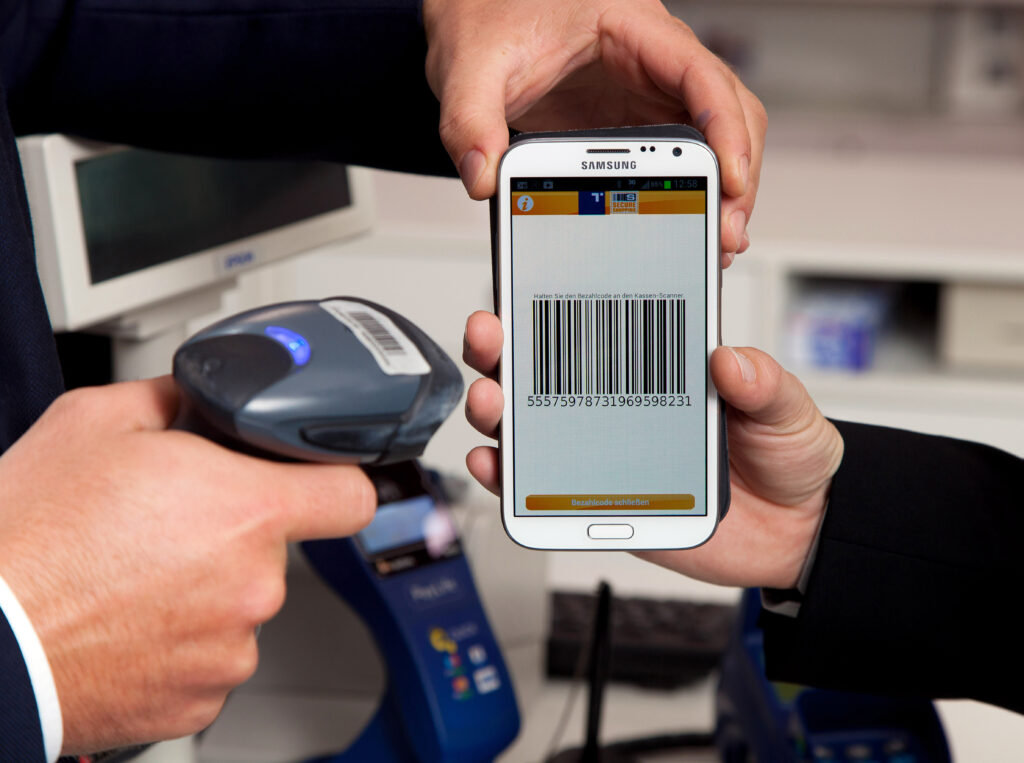
Two patterns dominate. You open the app and show your payment code for the cashier to scan. Or you scan the merchant’s QR and enter the amount yourself.
Confirm the amount on screen before you authorize. For small stalls, watch that you are scanning the stall’s code, not a printout stuck beside it. If the payment hangs, wait for a clear success or failure. Rapid double taps create duplicate charges and messy refunds.
Disable VPN tunnels that interfere with risk checks when you pay. Keep your phone charged. Offline moments in basements and subway tunnels are common. Download offline maps and keep hotel Wi-Fi passwords saved so you are not debugging banking SMS with zero signal.
Brightness up, screen unlocked, code refreshed if the app says it expired. Those tiny habits prevent the awkward “it was working yesterday” speech.
Cash and cards still matter
Carry some RMB cash for the handful of places that stay cash-preferring, for markets where phones fail, and for the day your battery dies. Major hotels, some museums, and international-brand stores may take foreign cards, but neighbourhood canteens often will not.
If you are booking mainland trains, payment inside official channels is its own workflow. Pair this article with our how visitors book a mainland train on 12306 guide so ticket day and pay day do not collide.
Museum tickets and park reservations also expect mobile pay more often than a foreign chip card at a window. See Forbidden City tickets before Golden Week 2026 and Fragrant Hills Beijing autumn for booking contexts where a working wallet matters.
Fixing the usual failures
Card will not bind. Enable international / online payments in your banking app. Approve any pending 3-D Secure prompts. Try another Visa or Mastercard from a different bank. Wait between attempts so risk engines cool down.
Verification rejected. Retake the passport photo. Match the name fields to the passport machine-readable line. Use the phone number that actually receives SMS. Roaming SMS can lag. Wi-Fi calling quirks can also eat codes.
Payment declined at a shop. Ask if they accept the other app. Try a smaller amount to test. Pay cash for that meal and debug later, not in the queue.
App logged you out with a Chinese-only screen. Screenshot the error, switch the app language if available, and use in-app English help or official customer service channels. Do not hand your phone to a stranger “helper” who wants remote control of your banking apps.
Travel week planning around payments
Before Mid-Autumn on Friday 25 September 2026 and before Golden Week in early October, test payments while you still have hotel Wi-Fi and patience. Holiday weeks mean longer lines and less time to troubleshoot. Our Golden Week 2026 vs Mid-Autumn note helps you see which week is harder for transport. Payment setup belongs in the calm week before either.
Buying mooncakes, booking a West Lake day, or grabbing a hutong lunch all go smoother when the QR already works. See mooncakes and Mid-Autumn 2026, West Lake first visit, and Beijing residential hutong walk for the days you will actually spend money.
Teachers’ Day on 10 September is another useful calendar marker if you are already in China for early autumn school-week rhythms. Cultural context lives in our Teachers’ Day in China 2026 piece. Payment prep still belongs on your phone, not on a gift list.
A sane kit for 2026
Alipay ready with one working foreign card. WeChat Pay ready if you can manage it. A second card from a different issuer in your wallet. Some cash. Screenshots of booking confirmations that do not depend on live data. A portable battery.
You do not need to become a fintech expert. You need one QR that works at lunch, another backup, and the humility to carry notes for the shop that never joined the future.