“`html
<!DOCTYPE html>
<html lang=”en”>
<head>
<style id=”lumi-runtime”>
/ luminous.css /
/*
* Luminous runtime stylesheet — injected once into every generated widget’s
* <head> by the C++ widget agent (id=”lumi-runtime”). Single Source of Truth
for ALL design tokens and pre-baked .lumi- component classes. The SI prompts
* (design.md / html_generation.jinja2 / chart.jinja2) must NOT re-declare these
* tokens or component CSS; they only reference them.
*
* Sections:
* 1. Web fonts (Google Sans Flex + Google Sans Code)
* 2. Light token :root (from previewer tokens.css, verbatim)
* 3. Dark token overrides — REMAPPED to :root so canvas/D3 readers of
* getComputedStyle(document.documentElement) resolve dark values (D3).
* 4. Short diagram/chart aliases (bridge legacy –surface / –chart-N names).
5. In-scope pre-baked .lumi- component classes.
*/
/* ============================================================
* 1. WEB FONTS (Google Sans Flex + Google Sans Code only)
* Material Symbols Outlined is intentionally NOT loaded: no in-scope
.lumi- control has a functional CSS glyph dependency on it, and the
* icon ban forbids decorative icons (Decision D2).
============================================================ /
@import url(’https://fonts.googleapis.com/css2?family=Google+Sans+Flex:ital,wght@0,300..700;1,300..700&family=Google+Sans+Code:ital,wght,MONO@0,300..700,0..1;1,300..700,0..1&display=swap’);
/* ============================================================
* 2. LIGHT TOKENS (:root)
============================================================ /
:root {
–body-bg: transparent;
–ff-sans: ’Google Sans Flex’, ’Google Sans Text’, ’Google Sans’, sans-serif;
–ff-mono: ’Google Sans Code’, ’Google Sans Mono’, monospace;
–lumi-sys-spacing–xxs: 2px;
–lumi-sys-spacing–xs: 4px;
–lumi-sys-spacing–s: 8px;
–lumi-sys-spacing–m: 12px;
–lumi-sys-spacing–l: 16px;
–lumi-sys-spacing–xl: 20px;
–lumi-sys-spacing–xxl: 24px;
–lumi-sys-spacing–3xl: 28px;
–lumi-sys-spacing–4xl: 36px;
–lumi-sys-shape–none: 0px;
–lumi-sys-shape–extra-small: 4px;
–lumi-sys-shape–small: 8px;
–lumi-sys-shape–medium: 12px;
–lumi-sys-shape–large: 16px;
–lumi-sys-shape–large-increased: 20px;
–lumi-sys-shape–large-max: 24px;
–lumi-sys-shape–xl: 28px;
–lumi-sys-shape–xl-increased: 32px;
–lumi-sys-shape–xl-max: 40px;
–lumi-sys-shape–xxl: 48px;
–lumi-sys-shape–xxl-increased: 56px;
–lumi-sys-shape–full: 999px;
–lumi-sys-elevation–level1: 0 0 20px 0 rgba(0, 0, 0, 0.04);
–lumi-sys-elevation–level2: 0 0 20px 0 rgba(0, 0, 0, 0.11);
–lumi-sys-color–surface: #fdfcfc;
–lumi-sys-color–surface-dim: #f2f0f0;
–lumi-sys-color–surface-bright: #ffffff;
–lumi-sys-color–surface-background: #fdfcfc;
–lumi-sys-color–surface-accent: #9dd2ff;
–lumi-sys-color–surface-container: #f2f0f0;
–lumi-sys-color–surface-container-high: #e6e6e6;
–lumi-sys-color–surface-translucent: rgba(255, 255, 255, 0.88);
–lumi-sys-color–on-surface: #000000;
–lumi-sys-color–on-surface-default: #000000;
–lumi-sys-color–on-surface-variant: rgba(0, 0, 0, 0.62);
–lumi-sys-color–on-surface-de-emphasis: rgba(0, 0, 0, 0.62);
–lumi-sys-color–on-surface-low: rgba(0, 0, 0, 0.08);
–lumi-sys-color–positive: #008052;
–lumi-sys-color–positive-container: #daf9d4;
–lumi-sys-color–on-positive-container: #009954;
–lumi-sys-color–error: #de2d29;
–lumi-sys-color–error-container: #ffdeec;
–lumi-sys-color–on-error-container: #de2d29;
–lumi-sys-color–accent: #9dd2ff;
–lumi-sys-color–accent-container: #dcf1ff;
–lumi-sys-color–accent-fixed: #3186ff;
–lumi-sys-color–primary: #3186ff;
–lumi-sys-color–on-primary: #ffffff;
–lumi-sys-color–black: #000000;
–lumi-sys-color–white: #ffffff;
–lumi-sys-color–outline: #727676;
–lumi-sys-color–stroke-default: #e3e3e3;
–lumi-sys-opacity-state–hover: 0.08;
–lumi-sys-opacity-state–focus: 0.08;
–lumi-sys-opacity-state–pressed: 0.12;
–lumi-sys-opacity-state–disabled: 0.12;
–lumi-sys-opacity-state–disabled-label: 0.38;
–lumi-sys-color–code-background: #000000;
–lumi-sys-color–code-primary-text: #ffffff;
–lumi-sys-color–code-blue-text: #4fa0ff;
–lumi-sys-color–code-green-text: #60d673;
–lumi-sys-color–code-grey-text: #808080;
–lumi-sys-color–code-pink-text: #ff96da;
–lumi-sys-color–code-purple-text: #969dff;
–lumi-sys-color–code-red-text: #ff5a59;
–lumi-sys-color–code-yellow-text: #ffdb0f;
–lumi-sys-color–chart-series-1: #2575fc;
–lumi-sys-color–chart-series-2: #5b6e9e;
–lumi-sys-color–chart-series-3: #228a49;
–lumi-sys-color–chart-series-4: #62991b;
–lumi-sys-color–chart-series-5: #1e564d;
–lumi-sys-color–chart-series-6: #526a45;
–lumi-sys-color–chart-series-7: #2780c4;
–lumi-sys-color–chart-series-8: #997112;
–lumi-sys-color–chart-series-9: #705ec2;
–lumi-sys-color–chart-series-10: #c84288;
}
/* ============================================================
* 3. DARK TOKENS (REMAPPED to :root — Decision D3)
* Canvas / Chart.js / D3 read getComputedStyle(document.documentElement);
* the theme-sync listener sets data-theme=”dark” on <html>, so dark values
* MUST live on :root (not scoped to body) to prevent black-chart regressions.
============================================================ /
:root[data-theme=”dark”],
body.dark-mode,
:root[data-theme=”dark”] body {
–body-bg: #0f0f0f;
–lumi-sys-elevation–level1: 0 0 20px 0 rgba(0, 0, 0, 0.28);
–lumi-sys-elevation–level2: 0 0 20px 0 rgba(0, 0, 0, 0.40);
Related Lovely China reading
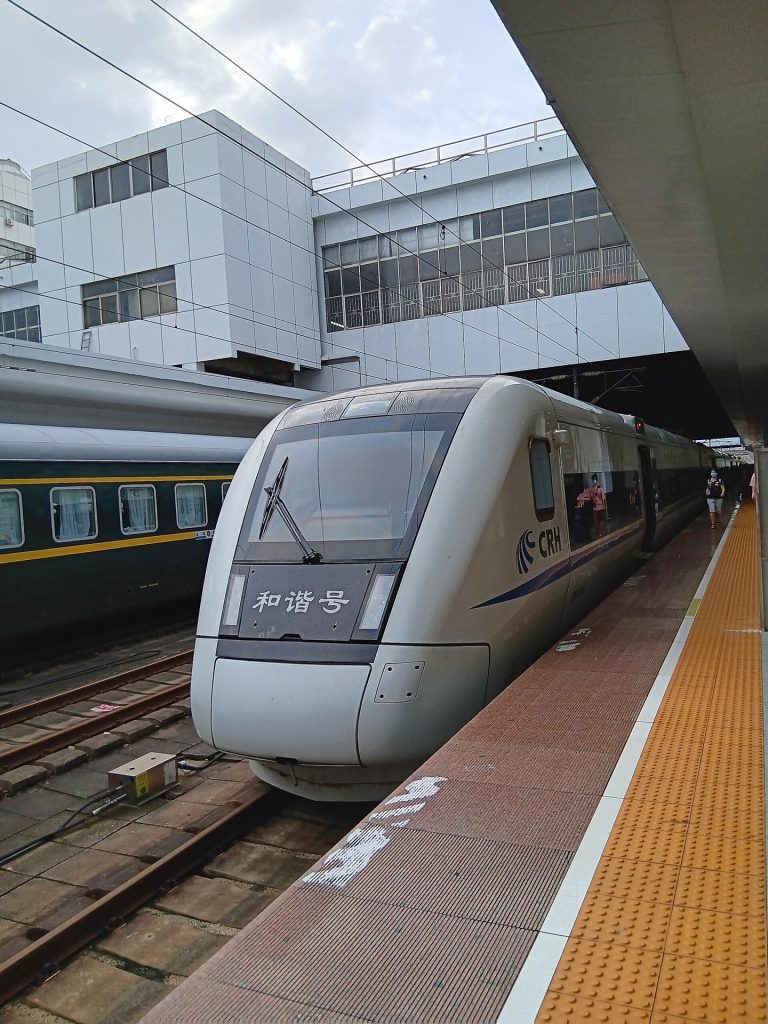
For payments, start with Alipay and WeChat Pay hub and WeChat Pay vs Alipay for tourists. For trains, keep high-speed rail first-timers guide and 12306 passport signup for foreigners handy. City hubs: Beijing first-visit guide, Shanghai first-visit guide. Connectivity: roaming vs local SIM honest guide, pocket Wi-Fi vs eSIM for China, offline maps for foreigners. Bookmark China travel tools page.
Practical checklist
- Confirm official rules on the relevant government, park, airline, or bank page near your travel week
- Screenshot bookings, tickets, and QR codes while you still have stable Wi-Fi
- Save hotel and attraction names in Chinese characters in your phone notes
- Carry passport, a backup payment method, and a small cash float (why cash is still needed)
- Test one small mobile payment before you rely on wallets at a gate or taxi
- Keep the China travel tools page page bookmarked for related Lovely China hubs
FAQ
Is this travel advice official?
No. Lovely China orients travellers. Verify live rules on official pages, apps, and counters near your travel week.
Will every city behave the same?
No. Airports, stations, parks, and markets differ. Use local signage and staff instructions when they conflict with a general guide.
What should I screenshot before I lose Wi-Fi?
Bookings, tickets, hotel Chinese address, pickup pins, and payment success screens.
Notes for late 2026 travellers
November and early December bring cooler mornings, earlier sunsets, and comfortable walking weather across much of eastern and central China. Pack layers and leave extra time on clear weekends at popular sights.
This article does not invent ticket prices, opening hours, processing times, consular fees, or official statistics. When a number matters, verify it on the official site, app screen, or ticket board near your travel week.
If an official rule page disagrees with this guide, follow the official page. Lovely China orients English-speaking travellers; we are not an immigration, banking, or medical authority.