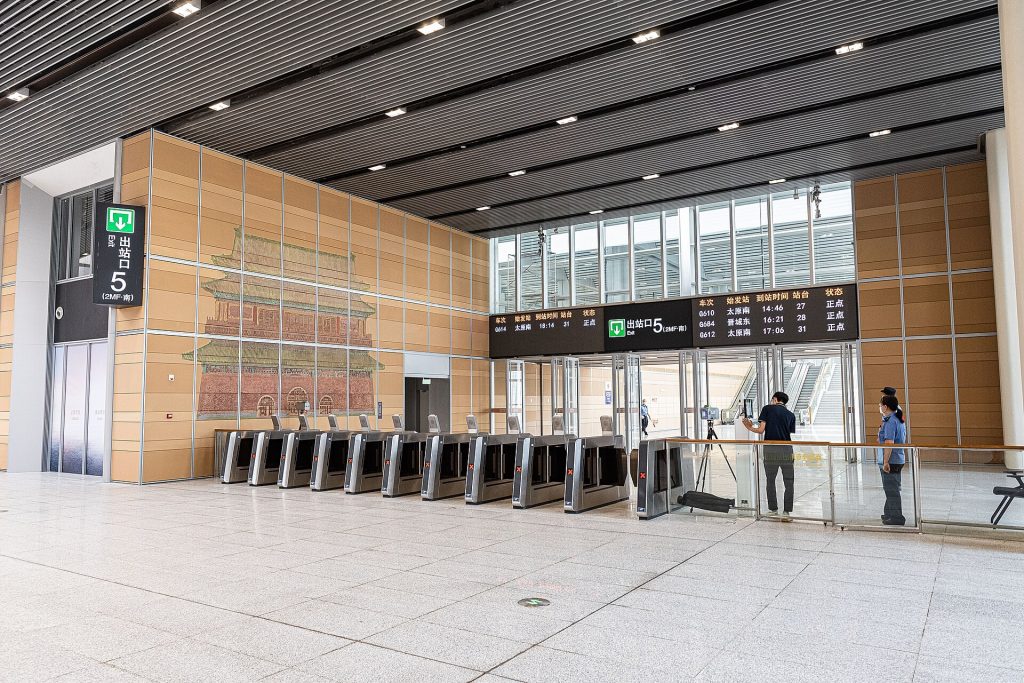
China’s railway e-ticket gates are fast when they love your passport—and awkward when the OCR shrugs. This Lovely China guide helps foreigners decide when to use the automatic gate versus the manual staff lane, what to screenshot from 12306, and how to keep name matching boring. Verify station signage near your travel week.
Background: 12306 passport signup for foreigners, train platform ticket gates passport, buy 12306 ticket at station with passport, high-speed rail first-timers guide.
Passport is the ticket
On many modern services, your passport biodata page is the credential. The booking name must match the passport spelling you used in 12306 (12306 passport signup for foreigners, 12306 English interface tips). A nickname on a hotel reservation does not help at the gate.
Automatic gate flow
1. Arrive with passport open to the photo page and enough time for a second try.
2. Follow arrows for passport or foreign-travel-document readers when marked.
3. Place the biodata page flat; remove covers that confuse cameras.
4. If the gate beeps refuse, do not spam the reader—step to the staff lane.
5. Keep your 12306 order screenshot ready with train number and departure time (train platform ticket gates with passport).
Manual window and staff lane
Staff can check passport against the reservation when machines fail. Soft courtesy, one screen at a time, and pointing at the train number moves you faster than a speech. If you bought at a station window, bring that proof too (buy 12306 ticket at station with passport, train ticket window with passport).
QR backups
Some flows show a dynamic QR in the 12306 app. It can help—until offline mode or login friction appears. Never rely on QR alone if your passport gate usually works; treat QR as backup, not the only plan.
Name matching discipline
Middle names, hyphens, and truncated fields cause silent fails. Enter passport names the way the machine-readable zone expects when you first register (12306 passport signup for foreigners). Fix profile errors before travel week, not on the platform.
Timing and security
Gates sit after station security in many cities (train station security and luggage). Build buffer for tray checks, especially with power banks (power bank airport security). November weekend leisure trains fill earlier—screenshot tickets the night before (12306 standby waitlist tickets).
Soft sleeper and overnight notes
If you hold sleeper berths, the same gate logic applies; compartment comfort is a separate guide (soft vs hard sleeper 12306, night train soft sleeper guide). Know your carriage number before you wander the platform.
Common mistakes
Covering the passport with a phone while scanning; arguing with a closed gate; and sending the wrong passport for a companion’s ticket (12306 child ticket foreign passport).
Same-day changes
If you changed trains, confirm the gate reads the new assignment (same-day 12306 refund and change, change seats on 12306 after booking). Screenshots of old orders confuse everyone.
Angle: 12306 e-ticket gates with foreign passport—OCR vs staff lane, QR backup—distinct from soft/hard sleeper and standby pieces.
Ground-level reminders for this topic
Stay flexible when a counter, app screen, or staff instruction disagrees with a blog. Lovely China orients travellers; live official pages and bilingual signs win. Keep China travel tools page, essential apps for foreigners, and Alipay and WeChat Pay hub bookmarked so logistics stay boring while you focus on the angle of this guide: how foreigners pass China railway e-ticket gates with a passport—when the gate scans, when to use the manual window, and calm backups if the QR fails.
Related Lovely China reading
For payments, start with Alipay and WeChat Pay hub and WeChat Pay vs Alipay for tourists. For trains, keep high-speed rail first-timers guide and 12306 passport signup for foreigners handy. City hubs: Beijing first-visit guide, Shanghai first-visit guide. Connectivity: roaming vs local SIM honest guide, pocket Wi-Fi vs eSIM for China, offline maps for foreigners. Bookmark China travel tools page.
Practical checklist
- Confirm official rules on the relevant government, park, airline, or bank page near your travel week
- Screenshot bookings, tickets, and QR codes while you still have stable Wi-Fi
- Save hotel and attraction names in Chinese characters in your phone notes
- Carry passport, a backup payment method, and a small cash float (why cash is still needed)
- Test one small mobile payment before you rely on wallets at a gate or taxi
- Keep the China travel tools page page bookmarked for related Lovely China hubs
FAQ
Is this travel advice official?
No. Lovely China orients travellers. Verify live rules on official pages, apps, and counters near your travel week.
Will every city behave the same?
No. Airports, stations, parks, and markets differ. Use local signage and staff instructions when they conflict with a general guide.
What should I screenshot before I lose Wi-Fi?
Bookings, tickets, hotel Chinese address, pickup pins, and payment success screens.
Notes for late 2026 travellers
November and early December bring cooler mornings, earlier sunsets, and comfortable walking weather across much of eastern and central China. Pack layers and leave extra time on clear weekends at popular sights.
This article does not invent ticket prices, opening hours, processing times, consular fees, or official statistics. When a number matters, verify it on the official site, app screen, or ticket board near your travel week.
If an official rule page disagrees with this guide, follow the official page. Lovely China orients English-speaking travellers; we are not an immigration, banking, or medical authority.