A good China trip in 2026 is half itinerary and half phone setup. The right apps turn opaque subway gates, train stations, and lunch counters into something you can navigate; the wrong assumption—that Google Maps and your home ride app will simply work—creates unnecessary stress by breakfast on day two.
This guide is a practical stack for English-speaking visitors and expats: what to install, what still needs a Chinese number versus passport login, how maps really behave, and an honest note on foreign apps and local law. It pairs with our eSIM/SIM guide, Alipay & WeChat Pay hub, and travel tools overview.
The core four: chat, pay, map, move
1. WeChat (Weixin)
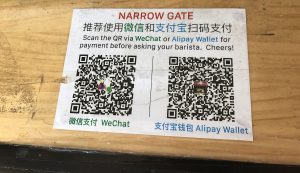
WeChat is messaging, official accounts, mini programmes, hotel contact, and often payments. Many attractions publish notices on WeChat; some restaurants only list tables through it. Install before you fly, verify you can log in, and explore Services / Pay so wallet setup is not left for a noisy arrival hall. See also adding a foreign card to WeChat Pay.
2. Alipay
Alipay is the other payment giant and frequently the easier foreign-card wallet for some banks. It also hosts useful mini apps (ride-hailing entries, city services). Install both WeChat and Alipay; treat them as redundant tyres, not rivals.
3. Maps: Amap (Gaode), Baidu Maps, Apple Maps honesty
Mainland navigation data is strongest in Chinese map ecosystems. Amap (Gaode) and Baidu Maps are what locals use for buses, walking, and driving ETAs. Interfaces can be intimidating; pair them with an on-screen translator.
Apple Maps on iPhone can be “good enough” for many urban walks and metro station names in large cities, but it is not always as complete as Amap for bus connections or last-metre alleyways. Google Maps coverage and routing inside mainland China are often unsatisfactory for day-to-day navigation even when you can open the app—plan as if you need a China-capable map offline.
Download offline areas where the app allows, and screenshot key hotel addresses in Chinese from your booking confirmation.
4. Didi (ride-hailing)
Didi is the default car-hailing app. Foreign-card and passport-friendly flows have improved over the years, but login and payment still trip some visitors. Keep cash for traditional taxis as backup. Enter your destination in Chinese characters when possible (copy from your hotel’s WeChat or booking).
Trains: 12306 and helpers
The official 12306 app and website sell high-speed and conventional rail tickets. Passport registration is part of the foreigner flow. Peak days sell out; book early and learn how station entry QR or ID checks work for your ticket type. Third-party platforms exist; weigh convenience against fees and support quality.
For the ride experience itself—security lines, seat classes, luggage—see our first-timer high-speed rail guide in this batch once published, and keep 12306 as the booking backbone.
Translation and scanning
A strong translation app with camera mode helps menus, signs, and forms. Download offline Chinese language packs before you travel. Translation will mangle classical couplets at temples and slang on menus; use it as a bridge, not gospel. For allergy-critical ingredients, learn a few written phrases or carry a clear card in Chinese.
Metro and city transport apps
Major cities offer official metro apps or mini programmes for maps and sometimes QR tickets. Shanghai, Beijing, Guangzhou, Shenzhen, and Chengdu systems are extensive; English station names exist on signage in many cores, but announcements and apps may lean Chinese. A Shanghai metro-oriented guide illustrates the pattern: buy a transport card or use QR ticketing once payments work, and stand on the right on escalators where locals do.
Airport express lines and maglev services may use separate ticket machines—budget extra time on landing days.
Hotels, flights, and reviews
Keep your airline app, hotel chain app, and booking confirmations offline. Mainland review ecosystems differ from the apps you use at home; WeChat official accounts and on-site queues often matter more than a familiar star rating screen.
What still wants a Chinese mobile number
Historically, many real-name and OTP flows preferred mainland numbers. In 2026, foreign passport + foreign card pathways cover more payment and travel ground than before, but you will still meet:
- Forms that demand an 11-digit mainland mobile
- Secondary verifications for some wallets or rail features
- Local services (certain clinic registrations, membership SIMs) that assume a Chinese number
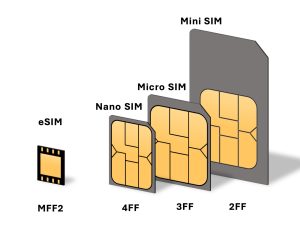
An eSIM or physical SIM acquired through legitimate channels can reduce friction—read the eSIM vs SIM guide and the honest roaming vs local SIM comparison. Avoid grey-market “rental identity” SIMs.
Foreign apps, connectivity, and the law
Some apps and sites you rely on at home may be slow, unreliable, or unavailable on mainland networks. That is a normal planning constraint, not a puzzle this article will solve with circumvention instructions.
Practical, lawful approach:
- Download offline maps, translation packs, boarding passes, and hotel vouchers before you fly
- Tell critical contacts you may reply more slowly on WeChat than on your home messengers
- Follow Chinese law and your home employer’s rules on communications
- Use official app stores and official websites for WeChat, Alipay, 12306, and Didi
Lovely China will not provide VPN configuration tutorials or illegal bypass methods. If your work requires specific compliant connectivity, arrange that with your company before travel.
Suggested install order (48 hours before departure)
1. WeChat + Alipay (accounts login-tested)
2. Payment cards linked and PIN set
3. Amap or Baidu Maps + offline bits; Apple Maps as optional aid
4. Didi
5. 12306 account with passport details ready
6. Translation app with offline Chinese
7. Airline + hotel apps; screenshots of Chinese addresses
8. Confirm data plan: roaming or eSIM/SIM
On landing, the first mission is: data up → tiny payment test → maps to hotel.
Accessibility and battery
Chinese cities are bright-screen environments—subway glare, outdoor QR codes, noon sun at station exits. Raise brightness, carry a power bank, and keep a short charging cable in your day bag. A dead phone in a QR-first economy is more disabling than in cash-first countries—another reason for a small cash float.
FAQ
Can I survive with only Apple Maps and Apple Pay?
Apple Maps helps in many urban cores; Apple Pay acceptance is not the same as WeChat/Alipay QR ubiquity. Install the China payment apps.
Do I need both WeChat and Alipay?
Strongly recommended. Redundancy beats ideology when one bank card fails in one wallet.
Is 12306 available in English?
Foreigner flows exist but can feel clunky. Allow time, and verify train times on official outputs rather than random screenshots.
Will my home messaging apps work?
Sometimes yes, sometimes poorly, sometimes not on your network. Plan communication through channels you have tested after arrival, and keep expectations flexible.
Where do I read about visas and entry tools?
Use the 240-hour transit and travel tools hubs alongside this app list.
Bottom line
Your essential China phone stack is boring on purpose: WeChat, Alipay, a China-capable map, Didi, 12306, and translation—backed by real data and a little cash. Install and test before you fly, keep redundancy between wallets, and treat foreign-app reliability as uncertain without looking for illegal workarounds. Do that, and the country feels dramatically more open on day one.